Tables, tabs and split bills
Dine-in that flows: rounds, tabs and split bills.
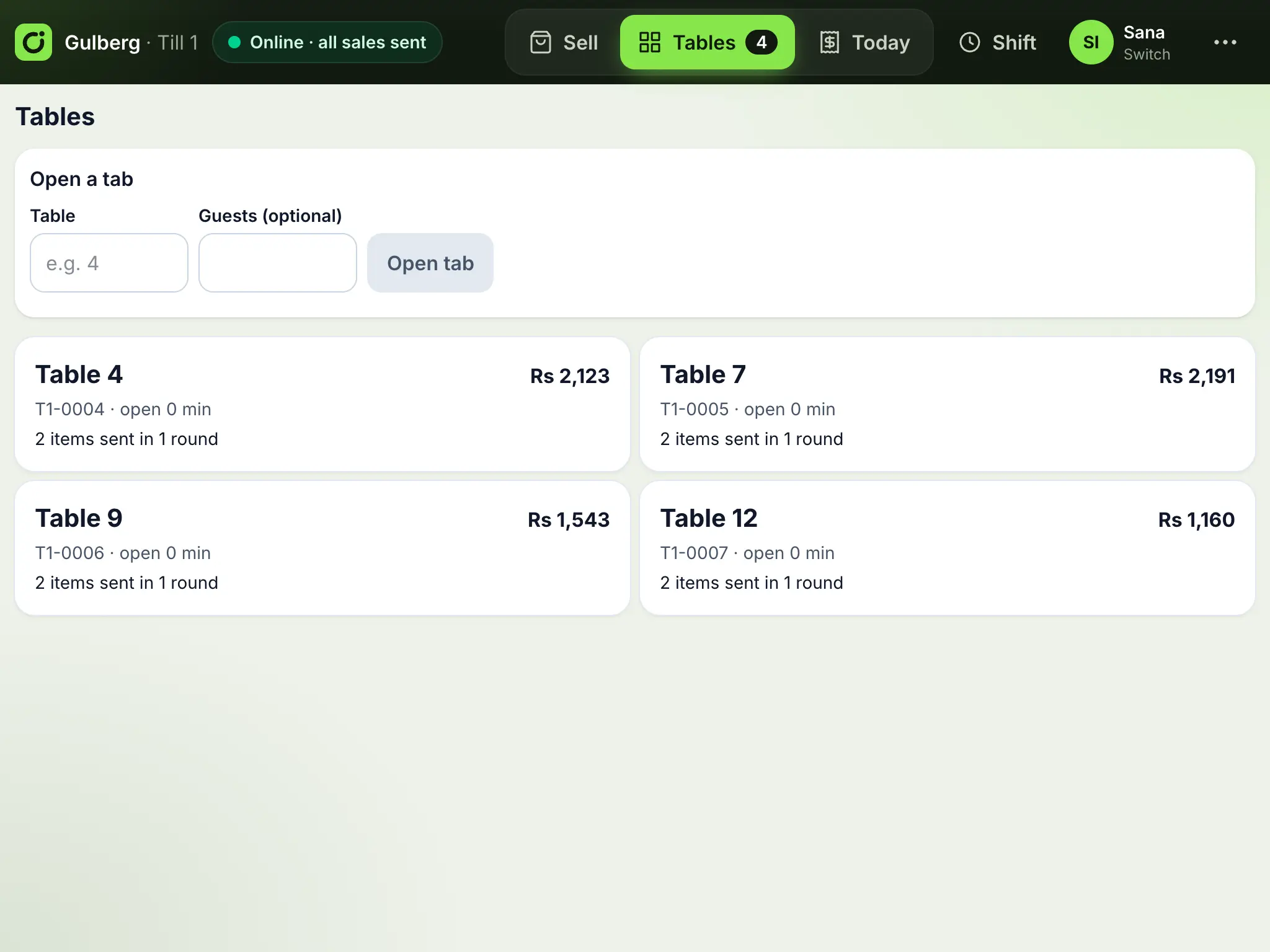
Open a tab for a table, send each round to the kitchen as guests order, and settle at the end, together or split, by cash or card.
Rounds
Each send is a round. The kitchen sees what is new, even after earlier rounds were served.
Split the bill
By items (each guest pays their own, cash or card) or evenly between up to 50 people.
Tax done right
Each part is taxed for how it was paid, because cash and card rates differ, and reported as its own invoice.
What's included
Order from the table
- A QR code on each table, printed from your back office
- Guests scan it, order from their phone and pay at the counter or online
- The order reaches the kitchen board with the table number, ready to take to the table
- No app to install and no waiter needed to take the order
Running a table
- Open a tab from the counter or the tables list
- Print the bill before payment
- Move a tab to another table, move some items, or merge two tables
- Items taken off after they were sent need a manager's PIN
Does it work offline?
Yes. Tabs live on the till and sync like sales.
Works well with
- Point of sale (works offline)A fast counter till for tablets and PCs that keeps selling when the internet drops, and syncs when it is back.
- Kitchen displayA live board of every order by stage, with one-tap status changes and alerts for new orders.
- Discounts and promo codesPromo codes with rules, loyalty points, offer banners and popups on your website, time-limited item discounts, and manager-approved discounts at the till.
See Ordrova run your restaurant
A 30-minute walkthrough with your menu: counter, kitchen, online ordering and reports.