Online ordering website
Your own ordering website. No marketplace commission.
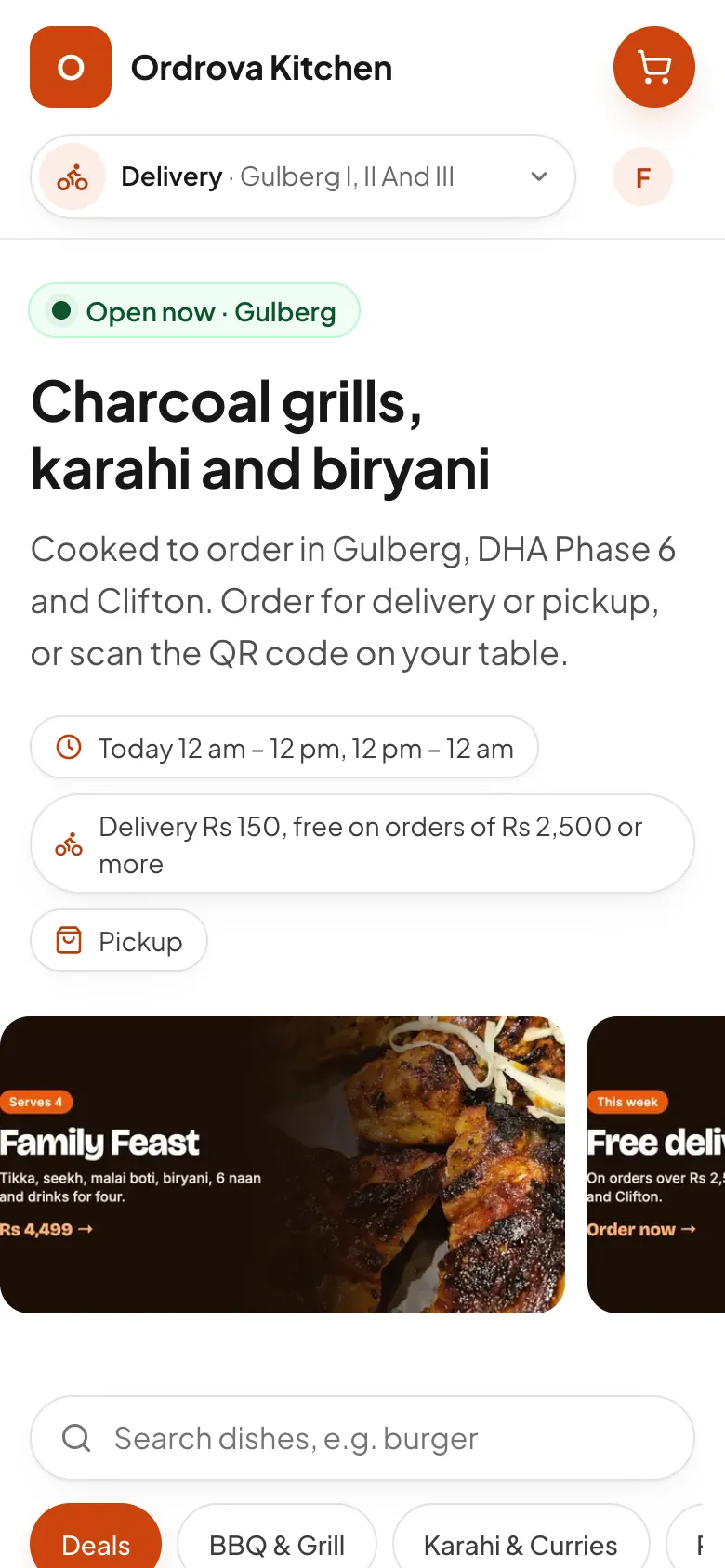
Give customers a fast, branded place to order directly from you. Menus, prices and branch hours come straight from your back office, and every order lands on your kitchen board in seconds.
0% commission
Customers order from you, not a marketplace. You keep the margin and the customer relationship.
Priced on the server
Every total is worked out by Ordrova from your menu, options, promo rules, delivery charges and tax, never by the browser.
Fast and findable
Pages are rendered on the server and cached, so menus load quickly on mobile data and are indexed by search engines.
What's included
Menu that sells
- Categories, item photos, tags and descriptions
- Dishes without options go in the cart in one tap
- "Goes well with" in the cart: the dishes your customers most often order together, then your best sellers
- Options any menu needs: sizes that set the toppings' prices, "choose 2" or "up to 4", follow-up choices (add fries, then the type of fries), things that come with a dish that customers can take off, special instructions on each item ("no onions") for the kitchen, "2 toppings included", half-and-half pizzas, pictures on choices, and shared groups you set up once for many items
- Mark an item sold out at one branch for today, or until you switch it back, in one tap
- Categories that are always on, or scheduled for a season like Ramadan
- Import your menu from a spreadsheet, and change many items at once
- Combo deals at one price: customers pick each part, and every part uses its item's stock
- Your logo, browser icon and brand colour, set from your back office
- QR codes for the counter and flyers, one per branch, and one per table to order from the table, ready to print
Checkout
- Delivery, takeaway, car-hop (customers give their number plate and tap I'm here when they park) or dine-in from a table's QR code, as each branch allows
- ASAP or scheduled for later, checked against branch hours, special hours and holidays
- On their first visit, customers say delivery or pickup and share where they are: their neighbourhood is found on the map and the nearest branch delivering there is chosen for them (the nearest branch for pickup)
- Customers sign in with a one-time code by email, or by phone on WhatsApp or SMS through your own account, so every order is on their account (guests can still order from a table's QR code)
- Cash on delivery or online payment (JazzCash, Easypaisa, PayFast, Safepay, Bank Alfalah or XPay; Stripe or PayPal for branches outside Pakistan), with a cash limit per branch and online-only pickup or scheduled orders if you want
- Phone numbers saved with your country code (+92 or yours), so sign-in codes and messages reach customers
- Promo codes with your rules
- Loyalty points (customers choose how many to use) and a wallet balance to spend at checkout, and saved delivery addresses to pick from
- Every delivery comes with the customer's location on the map (Locate me), so riders find the door
- After placing, customers get a minute to check their order: Looks good sends it to you now, Modify puts it back in their cart to change it
After the order
- An email with the order's details as soon as it's placed, from the restaurant's name
- An email when a pickup order is ready to collect
- A thank-you page with a live tracker: placed, preparing, on the way or ready, delivered, with the time of each step
- The rider's name, a call button and where they are, and a call button for the branch
- Phone notifications as the order is accepted, ready and on its way
- Order history and printable invoices for signed-in customers
- Order again in one tap, at today's prices
- Favourites: a heart on any item, and their list on their account to order from
- Ratings: customers rate a delivered order with stars and a comment, and a day later get a reminder by email, with one-tap stars, and by notification
- Orders arrive on the kitchen board with a sound alert
Analytics and ads
- Your own Google Analytics or Google Ads tag, Google Tag Manager, Meta Pixel, TikTok Pixel, Microsoft Clarity and Hotjar
- Paste each tool's ID in your back office and switch it on: no code
- Add to cart, checkout and orders reported to Google, Meta and TikTok, with the real order total
- A cookie banner with Accept and Reject: tools load only after a visitor accepts, with your own message and privacy policy link
Your own app, without an app store
- Customers add your site to their home screen with your name, colours and icon
- Opens full screen like an app, on Android and iPhone
- Works with a weak connection, with a clear offline page
Your design
- Three layouts: contained, full width, or a menu book with categories down the side and the order beside the menu
- A sliding banner, a row of offers, or your name beside a big picture
- Dishes as photo cards, a list with photos, or a compact menu
- 11 modern fonts for headings and text
- Your brand, page, text, header and footer colours, kept readable automatically
- Rounded, soft or sharp corners, with a live preview before you save
- Your own CSS for full control, with class names that stay the same when we update
Do my customers get an app?
Yes, in three ways. They can add your ordering site to their home screen, where it opens like an app with your name and icon. Your restaurant is listed in the Ordrova app (on Google Play now, coming soon to the App Store), included in your plan. And with the branded app add-on, you get your own app in the App Store and Google Play, with your name, icon and colours.
Do I pay a commission on online orders?
No. Ordrova charges a flat monthly fee per branch. Payment gateways charge their own processing fee on online payments.
Can I set everything up before customers can order?
Yes. Your site and the app say "Opening soon" until you switch online ordering on from Home, which also shows what is left to set up. The till and phone orders work in the meantime.
Can customers order for later?
Yes. Customers can order for a later time, checked against each branch's opening hours (which can differ for delivery and pickup), special hours and holidays.
Can I track visits and run ads with my own pixels?
Yes. In Website → Analytics, add your own Google Analytics or Google Ads tag, Google Tag Manager, Meta (Facebook and Instagram) Pixel, TikTok Pixel, Microsoft Clarity or Hotjar by pasting its ID. Your site then reports visits, add to cart, checkout and orders to them, so your ads can count real orders. A cookie banner asks visitors first (you can switch it off), and the tools load only after they accept.
Can customers sign in with their phone number?
Yes, once you connect your own WhatsApp Business or SMS account (WhatsApp, SendPK or Twilio) under Settings → Integrations → Messaging, and switch on phone sign-in. The codes go out under your account and you pay your provider directly, about Rs 4 a code on WhatsApp. Until then, customers sign in with their email, which is free.
Do I need a developer to set it up?
No. Add your menu (or import it from Excel), set your branches and hours, add your logo and colour, and you are live on your Ordrova address. Your own domain takes a DNS change.
Do emails to my customers come from Ordrova?
They come from your restaurant's name. In Settings → Emails you choose the sender name customers see and the address their replies go to. Sign-in codes, purchase orders to your suppliers and invitations to your staff all use them. They're sent through Ordrova's mail address, so they reach the inbox rather than spam.
Do customers need a new account for every restaurant?
No. A customer who already ordered from another restaurant on Ordrova signs up with the same email: we send a code to that email, and their account works at your restaurant too. Points and offers stay with each restaurant.
Works well with
- Customer app for iPhone and AndroidCustomers order from your menu in the Ordrova app, or in your own branded app with your name and icon in the App Store and Google Play.
- Your own domainRun the ordering site on your own web address with HTTPS, or use your free Ordrova address.
- Online paymentsJazzCash, Easypaisa, PayFast, Safepay, Bank Alfalah and XPay at checkout, Stripe and PayPal for other currencies, with verified payments and refund tracking.
See Ordrova run your restaurant
A 30-minute walkthrough with your menu: counter, kitchen, online ordering and reports.