Point of sale (works offline)
A POS that keeps selling when the internet doesn't.
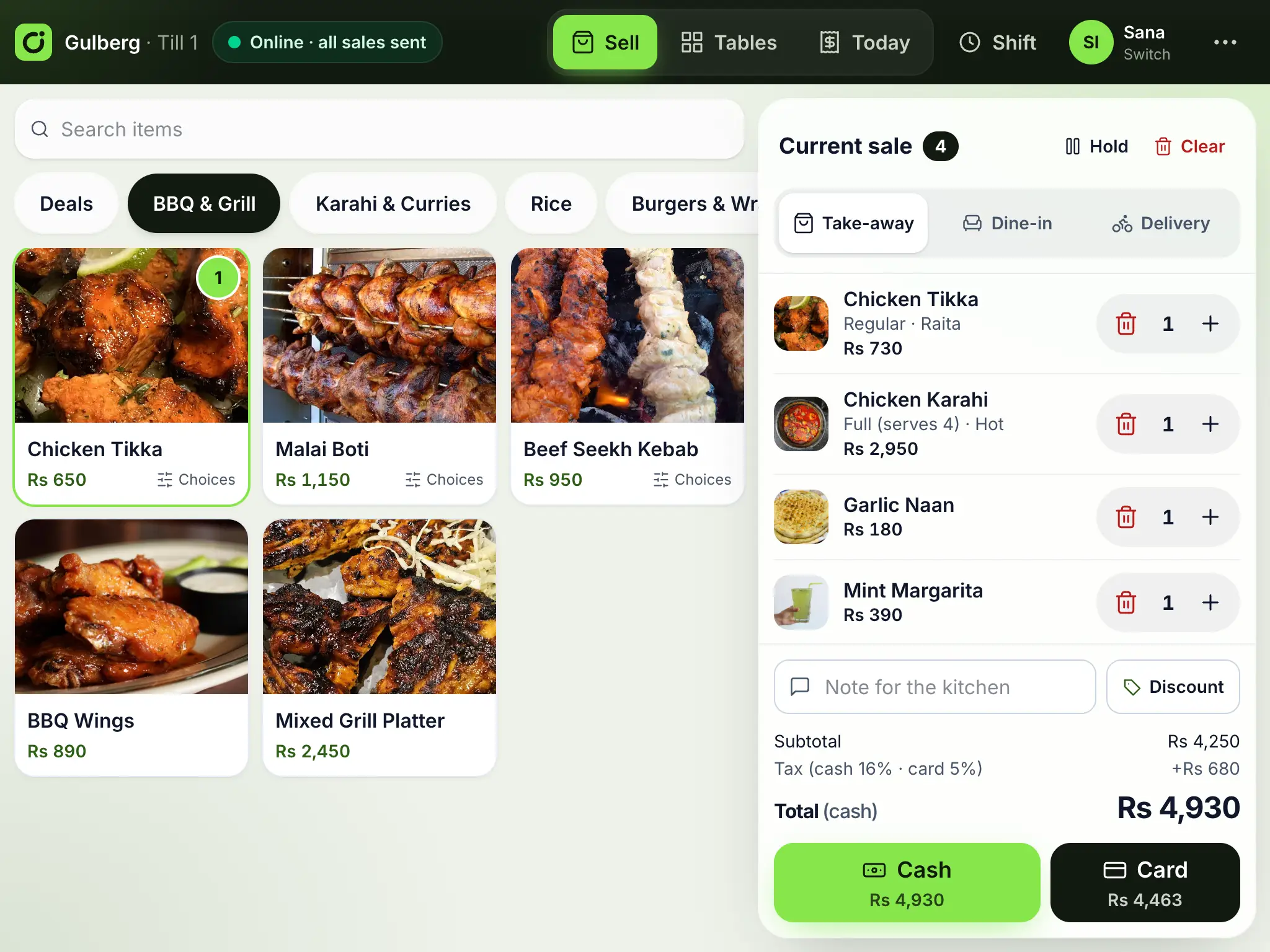
Ordrova POS runs on the tablets and PCs you already have. Every sale is saved on the till first and sent to the office when the connection allows, so a dropped connection never stops the queue.
Offline first
Sell, take cash or card, and print receipts with no internet. Sales sync automatically, never twice.
Any device
Installs as an app on Android tablets, iPads and Windows PCs. Prints to 58 and 80 mm receipt printers.
Priced like the office
The till prices exactly as the server does, and the office records any difference if the menu changed while offline.
What's included
At the counter
- Big tap targets, categories and search
- Modifiers and quantities in a couple of taps
- Hold a sale while the customer decides, serve the next one, and pick it up where you left off
- Cash with quick-cash buttons and change, or card, or part of each
- Tips for the staff, kept apart from your sales
- Take-away, dine-in and phone-in deliveries, paid now or cash on delivery; a delivery customer's email gets their copy of the order
- Receipts with your branch details and, where required, the tax invoice number and QR code
Reliable by design
- Each sale has its own id, so a resend can never create a second order
- A clear status: online, waiting to send, or needs attention
- Sales made offline reach the kitchen board and reports when they sync
Control
- Staff switch with their own PIN
- Voids, refunds and discounts need a manager's PIN
- Shifts with opening float, cash in and out, and a counted close
Printers and cash drawer
- USB receipt and kitchen printers straight from Chrome or Edge, no drivers to install
- Network printers and shared tables across tills through Ordrova Hub
- Card machine approval codes recorded on every card sale, ready to match with the bank
- Receipts with your name, address, phone, NTN and your own footer, set per branch
- Kitchen tickets split by station: grill, pizza, bar
- The cash drawer opens by itself for cash sales
- 58 mm and 80 mm paper, with the tax QR code printed by the printer
What happens if the internet goes down?
Nothing changes at the counter. Sales are stored on the till and sent when the connection is back. The till shows how many are waiting.
Which hardware do I need?
Any Android tablet, iPad or Windows PC with Chrome or Edge, and a 58 or 80 mm receipt printer. On Android tablets and Windows PCs, USB printers and a cash drawer work straight from the till; network printers work through Ordrova Hub. On an iPad the till prints through the iPad's print dialog (AirPrint). Use your bank's card machine: the till records each approval code so card sales match the bank's statement.
Can several tills share one branch?
Yes. With Ordrova Hub, a small program on any computer in the restaurant, every till sees the same tables and open tabs, even when the internet is down. Each till's sales still reach the office on their own.
Works well with
- Tables, tabs and split billsGuests order from their table by QR code; open tabs per table, rounds to the kitchen, split bills, and moving or merging tables.
- Staff, roles and approvalsRoles and branch access in the back office, personal till PINs, and manager approval for voids and discounts.
- Shifts and cash controlOpening float, cash in and out with reasons, counted close and Z report, with differences flagged in the office.
- Inventory and recipesRecipes for every dish, stock per branch that every sale uses up, low-stock alerts, purchase orders and transfers between branches.
See Ordrova run your restaurant
A 30-minute walkthrough with your menu: counter, kitchen, online ordering and reports.