Inventory and recipes
Know what's on the shelf before you run out.
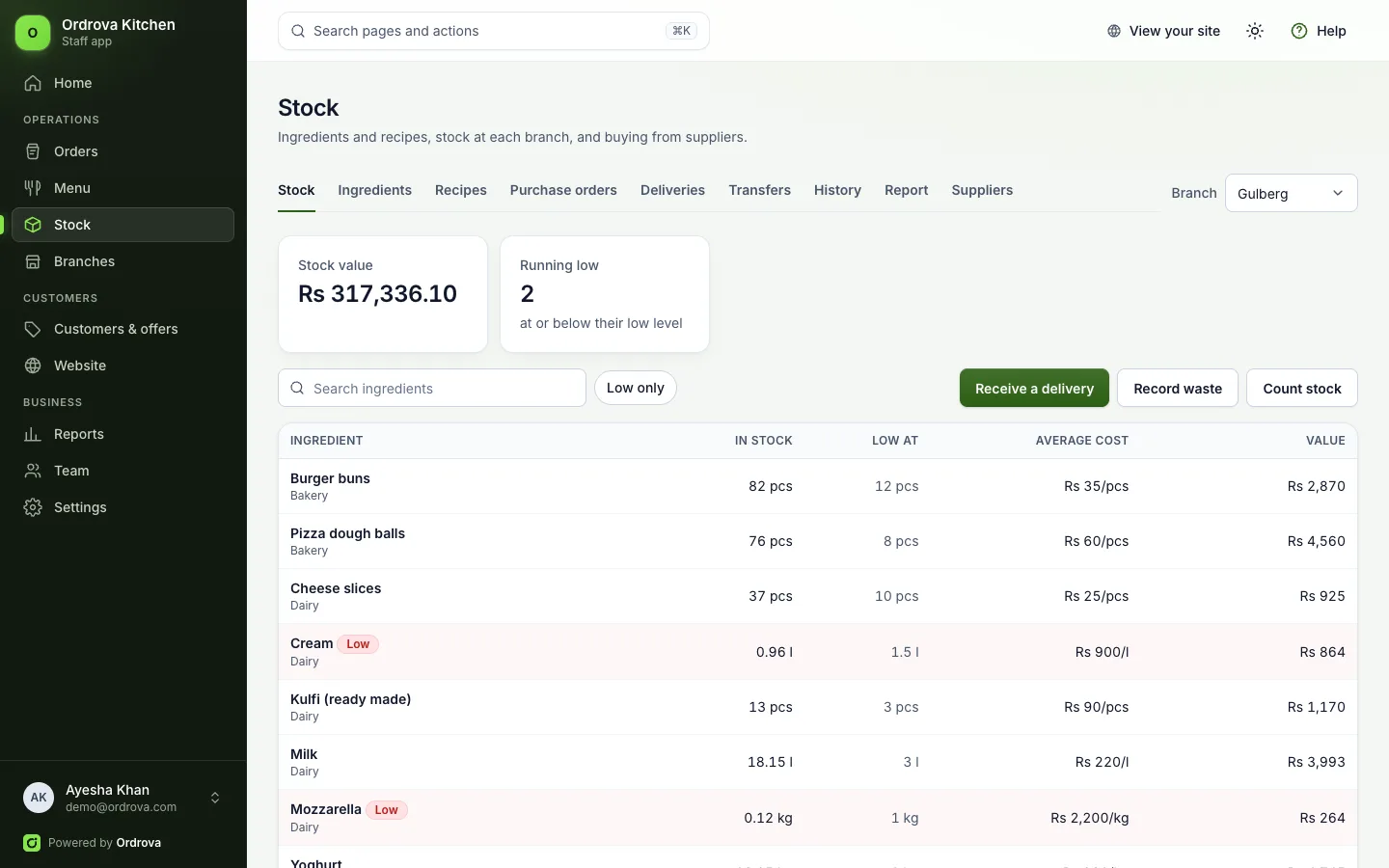
Write a recipe once and every order, from the website, the phone or the till, takes its ingredients from that branch's stock. Cancelled orders give them back. You see what is running low, order it from your supplier in two clicks, and know what every dish costs you.
Stock that follows sales
Each order uses its recipe, options included. Cancellations, voids, items taken off a tab and unopened items refunded put the stock back.
Sold out by itself
When a branch runs out, the item is hidden or marked sold out online, and the till shows it, so you stop selling what you can't make.
Order what's low
Purchase orders drafted from low stock, one per supplier, emailed in a click and received in part or in full.
Cost and margin
Average cost from every delivery, the cost of each dish and its margin, and a report of what was used, wasted and miscounted.
What's included
Stock
- Ingredients in g, kg, ml, l, pieces or packs
- Deliveries with supplier, bill number and cost
- Waste with a reason
- Stock counts that record the difference
- Every change in one history, linked to the order
Purchasing and branches
- Suppliers and their contacts
- Purchase orders by email or print
- Part deliveries tracked until complete
- Transfers between branches, with shortfalls recorded
- Daily low-stock email to owners
Will the till stop selling when stock runs out?
No. The till marks the item as sold out but still lets staff sell it, because the food may well be there. Online and phone orders are refused until stock comes in.
Do I have to write recipes for every item?
No. Items without a recipe simply don't use stock, so you can start with your best sellers.
Can a central kitchen supply my branches?
Yes. Send stock from one branch to another; it leaves the kitchen straight away and the branch adds it when it confirms what arrived.
Works well with
- Point of sale (works offline)A fast counter till for tablets and PCs that keeps selling when the internet drops, and syncs when it is back.
- Multi-branch managementBranches with their own hours, availability, delivery areas and charges, tax settings and staff, managed from one back office.
- Reports and analyticsSales by day, hour, channel, payment, branch, staff and item, best and slow sellers, a heat map of where orders come from, tax by rate and cash, exported to Excel.
See Ordrova run your restaurant
A 30-minute walkthrough with your menu: counter, kitchen, online ordering and reports.